Loyalty app
The next best thing to an actual burrito in your hand!
The Boojum App
Download the app now and start collecting loyalty rewards with every order placed. The Boojum loyalty scheme is almost as famous as our massive burritos and legendary tunes, and now, it’s even better.

Gimme stamps
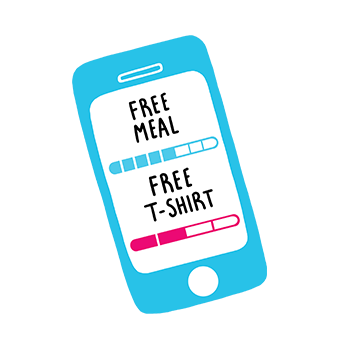
Every main meal you order gives you one stamp towards your loyalty rewards. Simply scan your app at the till when in-store and the points will be automatically added to your account. Neat, huh?
Click ’n collect
Ordering Click ‘N Collect? Order via the app and your points will be automatically added to your account.
FAQs
In-Store:
Before you pay, open the app on the home screen and present the QR code to the scanner at the till. You will receive one stamp for each main meal that you buy. After you have paid, simply hit the refresh button! Please note that your stamps may take up to an hour to register in the app.
Click 'n Collect:
Orders placed through Click 'n Collect are eligible for loyalty stamps. You will receive one stamp for each main meal ordered. Once your order has been placed and payment completed, your stamp will automatically be awarded to your account. This may take up to 1 hour to show in the app. Loyalty meals can be redeemed via Click 'N Collect or in-store.
Make sure you scan the QR code in the app before you pay. When stamps are added to your account, it can take up to an hour for them to show up in the app. Simply hit the refresh button to check for an updated stamp count.
Collect 10 stamps to qualify for a free meal. Free meals are redeemable in-store or through Click 'n Collect!
Get 40 stamps to qualify for a free T-shirt.
Make your order as usual, but before you pay open the app to the home screen and present the QR code to the scanner at the till. If you have a free meal available it will be automatically deducted from your bill. If you have a free T-shirt to collect, let the cashier know and then you will be asked to scan your QR code.
Contact us immediately at info@boojummex.com and we will block the account for you.
Unfortunately, in-store order history isn't available at the moment. To check your Click N Collect transaction history, simply open the app, navigate to 'Order', and hit the profile button. Then just click 'Order History'
Loyalty stamps cannot be retrospectively added to your account. Stamps must be collected at the time of purchase by swiping your QR at the designated point at till, before transaction is completed.
No. At present Boojum Gift Cards can only be used against in-store purchases.